
Spring 2026 Phone Repair Tips: 7 Ways to Protect Your Device in Grand Junction
April 29, 2026 · 6 min read
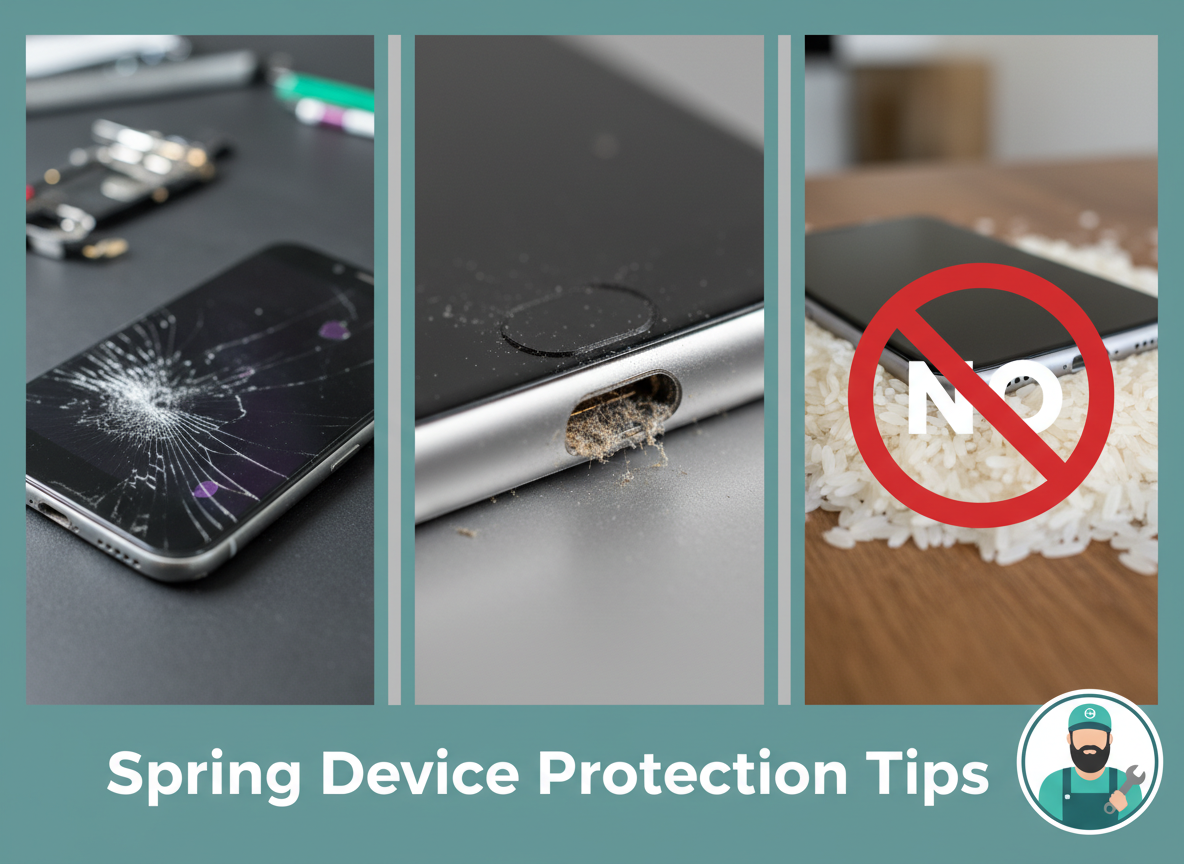
Spring is prime time for preventable phone damage in Grand Junction—dusty charging ports, cracked screens that spread, and batteries that start failing right when you need them most.
If your phone has been acting up lately—random shutdowns, a screen that's "mostly fine," or a charging port that only works at a certain angle—you're not alone. Spring is when we see a big spike in preventable device damage around Grand Junction: more outdoor time, more travel, more dust, and more "oops" moments.
At iRepairThis (750 Main St, STE 110, Grand Junction, CO 81501), we fix phones, tablets, and game consoles every week that could've been saved with a few simple habits. Here are the best ways to protect your device this season—plus the warning signs that mean it's time to book a repair.
1) Replace that "barely cracked" screen sooner than later
A hairline crack might look harmless, but it can:
- Spread with one drop or temperature change
- Let dust and moisture into the display assembly
- Cause touch issues that get worse over time
Pro tip: If your screen is cracked and you're using it daily, you're basically gambling with a bigger failure.
2) Use a real screen protector (not just a case)
Cases are great for corners and drops—but they don't stop scratches, micro-cracks, or direct screen impact.
If you recently replaced a screen (or you're about to), adding protection is one of the best "cheap insurance" moves you can make.
3) Keep your charging port clean—carefully
Spring in the Grand Valley = more dust, lint, and pocket debris. Charging ports get packed fast.
If your cable feels loose or won't click in:
- Don't jam anything metal in there
- Don't force the cable (that can damage the port)
A quick professional clean or port repair is usually faster (and cheaper) than people expect.
4) Watch for battery warning signs before you get stranded
Batteries don't usually fail all at once—they give clues:
- Battery drops from 40% to 5% suddenly
- Phone gets hot during normal use
- Swollen screen or lifting display
- Random restarts
If you're seeing any of these, it's worth getting it checked. Most battery replacements are a straightforward repair.
5) Avoid "DIY water fixes" that make things worse
We get it—everyone wants to save a wet phone.
But these common moves can cause extra damage:
- Rice (doesn't remove moisture inside the device)
- Heat guns/hair dryers (can warp components)
- Charging it "to see if it still works" (can short the board)
If your phone gets wet, power it off immediately and bring it in for a proper inspection/clean-up.
6) Don't ignore weird touch, flicker, or lines on the screen
These symptoms often mean the display is failing or the connector is damaged:
- Ghost touches
- Flickering brightness
- Green/white lines
- Black spots that grow
The earlier you address it, the better the odds of avoiding a more expensive repair.
7) Back up your data before a small problem becomes a big one
Most of the time, repairs go smoothly—but backing up is still smart.
If your phone is:
- Boot looping
- Not charging reliably
- Randomly shutting down
…back it up now while you still can.
When should you book a repair?
If you're dealing with any of these, it's time:
- Cracked screen (even "minor")
- Charging port only works at an angle
- Battery drains fast or phone runs hot
- Camera won't focus
- Device got wet
- Touch issues, flicker, lines, or black spots
At iRepairThis, we're known for honest assessments and clear pricing—no pressure, no surprise upsells.
Fast help in Grand Junction
Most common repairs (screens, batteries, ports) can be done quickly—often the same day if parts are in stock.
Book an appointment or call/text: 970-234-8508
Website: https://www.irepairthis.com
Address: 750 Main St, STE 110, Grand Junction, CO 81501
Seeing any of these warning signs?
Don't wait—bring your device in today. We'll give you an honest assessment and get you back up and running.